
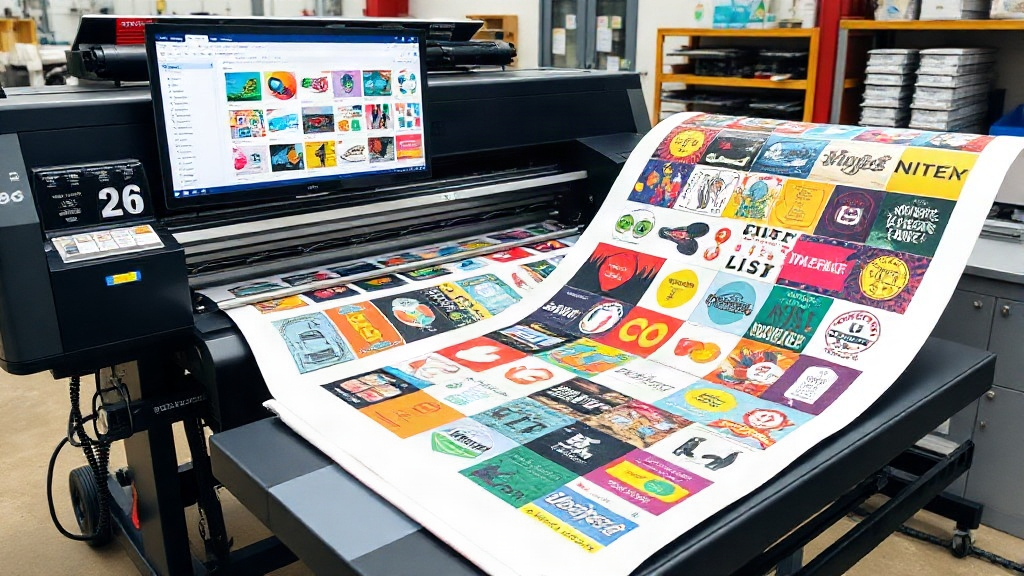
If you run a DTF printing business, you already know that every inch of film and every minute of production counts. The difference between profit and loss often comes down to how efficiently you use your materials. That's where a dtf gangsheet builder becomes a game-changer. This tool lets you arrange multiple designs on a single sheet, maximizing your film usage and minimizing waste. In this article, we'll explore how a gangsheet builder works, why it's essential for your bottom line, and how to use it like a pro to save both money and time.
What Is a DTF Gangsheet Builder?
A DTF gangsheet builder is software that helps you combine multiple DTF transfers onto one large sheet, often called a gangsheet. Instead of printing each design separately, you nest them together to fill the available space. This approach is similar to how a tailor cuts patterns from a single piece of fabric to avoid leftovers. The builder automatically arranges your designs, or you can manually position them, to achieve the tightest possible layout.
Most gangsheet builders are web-based, allowing you to upload your artwork, set the dimensions of your sheet, and then drag and drop images until they fit perfectly. Some advanced tools even use algorithms to optimize the arrangement, saving you from the tedious trial-and-error of manual nesting.
Why You Need a Gangsheet Builder for Your DTF Printing
DTF printing involves transferring designs onto a special film, which is then coated with adhesive powder and cured. The film itself is a significant cost, and so is the powder and ink. If you print each design individually, you end up with wasted film around each image. A gangsheet builder solves this by consolidating designs, reducing waste and increasing your production capacity.
Beyond material savings, a builder also saves time. Imagine printing 20 small logos for a client. If you print them one by one, you'll spend hours loading and unloading the printer. With a gangsheet, you print them all at once, then cut them apart. The time savings alone can transform your workflow.
Cost Savings: Film, Ink, and Powder
Let's break down the numbers. Suppose you pay $1 per square foot for DTF film. If you print a 3x3 inch logo on a 4x4 inch piece of film, you're wasting 7 square inches per logo. Over 100 logos, that's 700 square inches, or nearly 5 square feet, wasted. At $1 per square foot, you're throwing away $5. With a gangsheet, you can reduce that waste to near zero. The savings multiply when you consider ink and powder, which are also applied across the entire film area.
Time Efficiency: Less Loading, More Printing
Every time you load a new sheet into your DTF printer, you spend time on setup, alignment, and cleaning. If you're printing individual designs, you might load the printer dozens of times a day. A gangsheet allows you to load once and print many. For a busy shop, this can free up hours each week, allowing you to take on more orders or focus on marketing.
How to Use a DTF Gangsheet Builder Effectively
Using a gangsheet builder is straightforward, but a few best practices can help you get the most out of it. Here are key steps to follow:
- Choose the right sheet size: Standard DTF film comes in rolls of 13, 17, or 24 inches wide. Your builder should let you set the width and length to match your film. Common lengths are 12, 24, or 36 inches, but you can customize based on your printer's capabilities.
- Upload high-resolution artwork: The quality of your prints depends on the quality of your files. Use PNG files with transparent backgrounds at 300 DPI. Low-resolution images will look pixelated when printed.
- Arrange designs efficiently: Start with the largest designs and fill gaps with smaller ones. Rotate designs if needed to fit better. Most builders have a "nesting" feature that automatically arranges items, but manual tweaking can sometimes yield a tighter fit.
- Leave space for cutting: Remember that you'll need to cut the transfers apart after printing. Leave at least 0.25 inches between designs to make cutting easier and avoid accidental damage.
- Preview and adjust: Before printing, preview your gangsheet to ensure no designs overlap and that everything fits within the sheet boundaries. Adjust as needed.
Manual vs. Automatic Nesting
Manual nesting gives you full control, but it can be time-consuming. Automatic nesting uses algorithms to find the optimal arrangement, often in seconds. For complex jobs with many different shapes, automatic nesting is a lifesaver. However, for simple jobs, manual placement might be faster. Many builders offer both options, so you can choose based on the task.
Common Mistakes to Avoid
Even with a builder, people make mistakes that cost money. Here are pitfalls to watch for:
- Overcrowding: Trying to fit too many designs on one sheet can lead to cutting errors and wasted film. Leave some breathing room.
- Forgetting the white underbase: DTF prints require a white ink layer behind the colors. If your builder doesn't account for this, your colors may appear dull. Ensure your designs have the white layer included.
- Ignoring film grain: DTF film has a slight grain that affects how designs adhere. Avoid placing designs too close to the edge, where the grain might be inconsistent.
- Not updating software: Gangsheet builders are frequently updated with new features and bug fixes. Keep yours current to avoid glitches.
Maximizing Savings: Advanced Tips
Once you're comfortable with the basics, you can squeeze even more value from your gangsheet builder. Consider these advanced strategies:
- Batch similar orders: If you have multiple orders with the same design but different sizes, nest them together. You'll save film and time by printing them in one go.
- Use offcuts for test prints: Leftover film from a gangsheet can be used for small test prints or samples. Don't throw away those scraps!
- Optimize powder application: When you print a gangsheet, you apply powder over the entire sheet. This means you use more powder than if you printed individually, but the time savings and film savings usually outweigh the extra powder cost. To minimize powder waste, use a powder shaker with a fine mesh and recycle excess powder.
- Track your usage: Keep a log of how much film, ink, and powder you use per gangsheet. This data helps you price your products accurately and identify areas for further improvement.
Choosing the Right DTF Gangsheet Builder
Not all gangsheet builders are created equal. When selecting one, consider these factors:
- Ease of use: Look for an intuitive interface that doesn't require a steep learning curve.
- Compatibility: Ensure it supports your file formats (PNG, JPG, PDF) and works with your printer's RIP software.
- Nesting capabilities: Does it offer automatic nesting? How efficient is it?
- Price: Some builders are free, while others charge a monthly fee. Evaluate based on your volume. If you print daily, a paid tool might pay for itself quickly.
- Customer support: Good support can help you troubleshoot issues and learn advanced techniques.
Frequently Asked Questions
What is the ideal size for a DTF gangsheet?
The ideal size depends on your printer and the number of designs you need to print. Common widths are 13, 17, and 24 inches, with lengths up to 36 inches or more. Start with a size that fits your most frequent orders and adjust as needed.
Can I use a gangsheet builder for other printing methods?
While gangsheet builders are designed for DTF printing, the concept of nesting designs applies to other methods like sublimation and screen printing. However, the specific tools may differ. For DTF, the builder must account for the white underbase and film characteristics.
How much can I save by using a gangsheet builder?
Savings vary based on your volume and design sizes. On average, businesses report reducing film waste by 30-50% and cutting production time by 20-40%. The exact savings depend on how well you optimize your layouts.
Do I need special software to create a gangsheet?
You can create a gangsheet manually using graphic design software like Photoshop or Illustrator, but dedicated gangsheet builders automate the process and save time. Many are web-based and require no installation.
How do I ensure my gangsheet prints correctly?
Always print a test sheet on a small scale to check colors and alignment. Ensure your printer settings match the film type and that you've applied powder evenly. Regularly maintain your printer to avoid clogs and misprints.
Incorporating a dtf gangsheet builder into your workflow is one of the smartest investments you can make for your DTF printing business. It reduces waste, speeds up production, and ultimately boosts your profits. Whether you're a small startup or an established shop, the right builder can help you stay competitive. Start experimenting with different layouts and see the difference for yourself.