
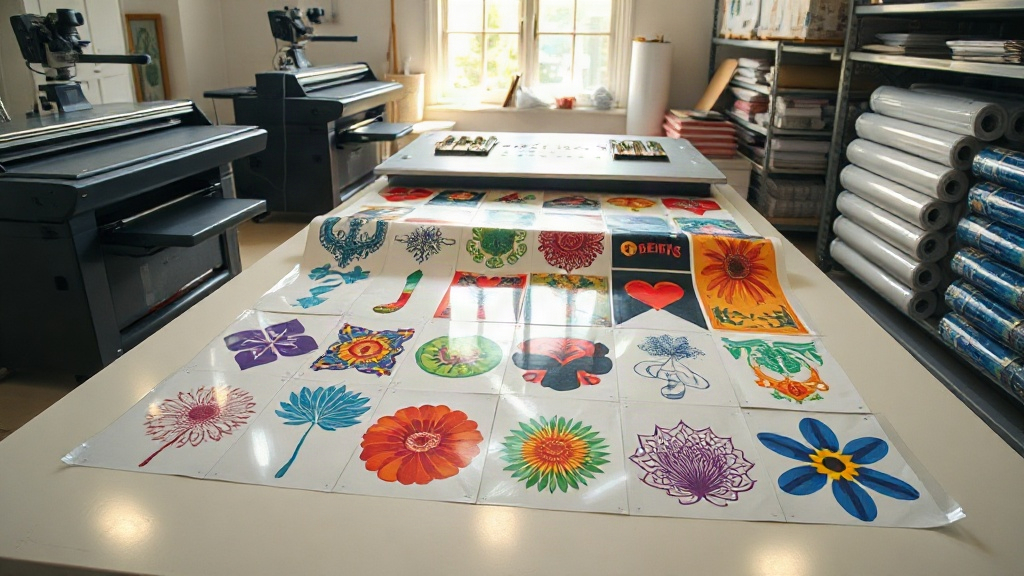
If you run a custom apparel business, you know that efficiency and cost control are key to staying profitable. One tool that has revolutionized the way small and large shops handle DTF printing is the gangsheet. A DTF gangsheet lets you print multiple designs in a single transfer, saving time, money, and effort. But what exactly is a gangsheet, and how can you leverage it to grow your business? In this guide, we'll dive deep into everything you need to know about DTF gangsheets.
What Is a DTF Gangsheet?
A gangsheet is a large sheet of DTF transfer film that contains multiple designs arranged together. Instead of printing each design individually, you combine them into one sheet, maximizing the use of the film and reducing waste. This method is especially popular among apparel decorators who need to produce a variety of items quickly.
How DTF Printing Works
Direct-to-film (DTF) printing involves printing your design onto a special film, coating it with adhesive powder, and then transferring it to fabric using a heat press. The process works on nearly any fabric, including cotton, polyester, and blends. When you create a gangsheet, you're essentially grouping multiple designs onto one film sheet, which is then printed in a single pass.
Why Use a DTF Gangsheet?
The benefits of using gangsheets are numerous, but here are the most impactful ones:
- Cost savings: By printing multiple designs on one sheet, you use less film and ink, lowering your cost per transfer.
- Time efficiency: Printing a gangsheet takes the same time as printing a single design, so you can produce more in less time.
- Versatility: You can mix different sizes and designs on one sheet, perfect for fulfilling varied orders.
- Reduced waste: Optimizing the layout minimizes unused film areas.
How to Create a DTF Gangsheet
Creating a gangsheet requires some planning and the right tools. Here's a step-by-step guide:
1. Choose the Right Software
You'll need design software that allows you to arrange multiple images on a canvas. Adobe Photoshop, Illustrator, or dedicated RIP software like Cadlink or AcroRIP are popular choices. Some online tools also offer gangsheet builders specifically for DTF.
2. Set Up Your Canvas
Determine the size of your gangsheet. Common widths are 13, 17, 22, and 24 inches, but the length can vary based on your printer. Ensure your canvas matches the film size you'll use.
3. Arrange Your Designs
Place your designs on the canvas, leaving a small gap (about 0.25 inches) between them for easy cutting. Rotate and nest designs to fill gaps. Remember that DTF prints are typically mirrored, so flip your designs horizontally before printing.
4. Add Registration Marks
Including registration marks or cut lines can help with trimming later. Some software can automatically add these.
5. Print and Cure
Print the gangsheet on DTF film, apply adhesive powder, and cure it according to your printer's settings. Then, cut out each design and store them until needed.
Ordering DTF Gangsheets from a Service
If you don't have a DTF printer, you can order gangsheets from a professional service. This is a great option for startups or businesses with occasional large orders. When ordering, you'll typically upload your designs, specify the sheet size, and the service will print and ship the transfers to you. This saves you the cost of equipment and maintenance.
Tips for Maximizing Your Gangsheets
To get the most out of your gangsheets, consider these tips:
- Group by color: If you're printing with white ink, grouping designs with similar white areas can reduce ink usage.
- Use nesting: Rotate designs to fit more per sheet.
- Plan for popular sizes: Include a mix of sizes (e.g., left chest, full front) to meet common orders.
- Keep a library: Save gangsheet layouts for repeat orders to save time.
Common Mistakes to Avoid
Even experienced printers make mistakes. Here are some pitfalls to watch for:
- Overcrowding: Leaving too little space between designs can cause cutting errors.
- Forgetting to mirror: DTF transfers must be mirrored, or your text will be backwards.
- Incorrect powder application: Too much or too little powder affects adhesion and durability.
- Ignoring film orientation: Always print on the coated side of the film.
Frequently Asked Questions
What is the maximum size for a DTF gangsheet?
The maximum size depends on your printer. Common DTF printers support widths up to 24 inches, but the length can be virtually unlimited as long as you have enough film. Some industrial printers can handle even wider rolls.
Can I mix different designs on one gangsheet?
Absolutely! That's the whole point of a gangsheet. You can combine any number of designs, as long as they fit within the sheet dimensions. Just ensure you leave enough space between them for cutting.
How do I price products made from a DTF gangsheet?
Calculate your cost per transfer by dividing the total cost of the gangsheet (including film, ink, powder, and labor) by the number of designs. Then add your profit margin. This gives you a competitive price while ensuring profitability.
Do I need special software to create a gangsheet?
While you can use general graphic design software, dedicated RIP software or online gangsheet builders can automate the process, saving time and reducing errors. They often include features like auto-nesting and registration marks.
How long can I store DTF gangsheets?
When stored properly in a cool, dry place away from direct sunlight, DTF transfers can last for several months. Avoid folding them; instead, keep them flat or rolled.
Mastering the DTF gangsheet can transform your printing workflow. Whether you print in-house or order from a service, the efficiency gains and cost savings are undeniable. Start experimenting with gangsheets today and watch your productivity soar.